~4 yrs
At RamanByte
EXPERIENCE
I'm a full-stack developer at RamanByte, a Pune ed-tech company that builds the Classroom+ learning platform. My work is the whole vertical slice: ASP.NET Web API and SQL Server on the back end, then Angular models, data-binding and reactive forms on the front — shipped to production for institutions that pay for it, not demos parked on a laptop.
RamanByte builds Classroom+ — a cloud learning-management platform used by schools and institutes across India.
Client projects are delivered on top of that same platform: shared auth, shared storage, shared APIs. So a "new site" is rarely greenfield — it's a new front end and a new set of endpoints wired into infrastructure that already carries real users.
My seat is full-stack. I design and write the C# Web API and its SQL Server schema, then build the Angular layer that consumes it — typed models, services, reactive forms, and the slow, unglamorous job of turning a static template into something that reads and writes live data.
Design the endpoints and the SQL Server schema before the screen exists. The shape of the data drives everything downstream — so it gets settled first.
Every response gets a typed Angular model and a service method. When the API changes, the TypeScript compiler points at every screen that now breaks.
Replace each static mock-up with live data — home, archives, editorial board, guidelines. Once a page is mine, nothing on it is hardcoded.
Reactive forms with field-level rules: email verification, password match, mobile and pincode formats, cascading country → state → city. A form can't submit until it is actually valid.
Out to the institution's production domain on RamanByte's Classroom+ infrastructure. Real users the next morning, not a staging link.
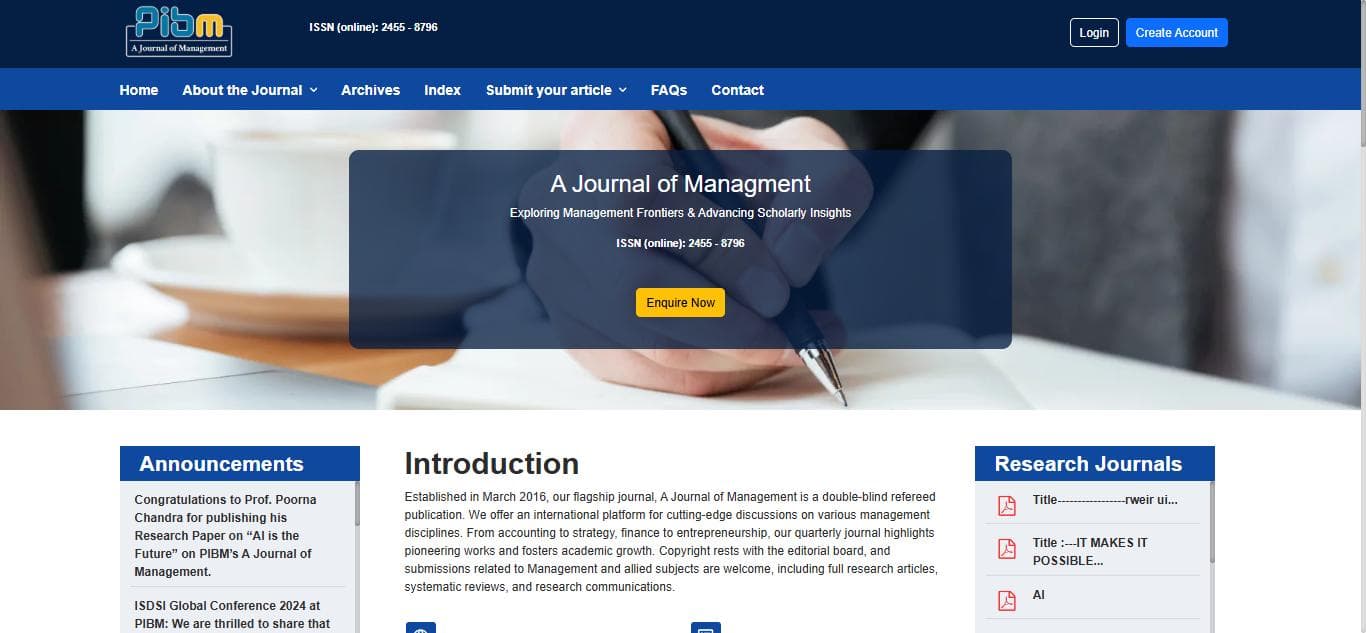
The complete online home and submission portal for PIBM's flagship double-blind peer-reviewed journal — public site, author onboarding, and reviewer workflow, on one Angular front end.
What it is
A Journal of Management is the flagship journal of the Pune Institute of Business Management. It has published quarterly since March 2016, is open-access, and runs a double-blind peer review. The site is its whole public presence and the system authors and reviewers actually work in.
It started as a Metronic admin template with every page hardcoded. The job was to make it real: a .NET API and SQL Server behind it, and an Angular layer that binds to them end to end.
What I built
Email-verified account creation, then a three-step registration wizard — basic details → address (with a "permanent same as communication" toggle) → credentials. Password-match and field-level validation throughout; login, forgot- and reset-password flows.
The submit-a-journal form with full validation, re-submission handling for revisions, resolved-status routing, and the article list and detail views — all bound to the .NET article service.
A reviewer directory, a reviewer profile with its own validation rules, and the review detail screens that sit between a submission and an editorial decision.
Home, about, editorial board, editorial policy, authors, reviewers, archives, index and author guidelines — each converted from a static page to a live, API-driven one, plus a shared announcements component and the footer.
An accordion FAQ built from scratch, including a fix for state lost on refresh. Dropzone wired to AWS S3 for manuscript and supporting-document uploads.
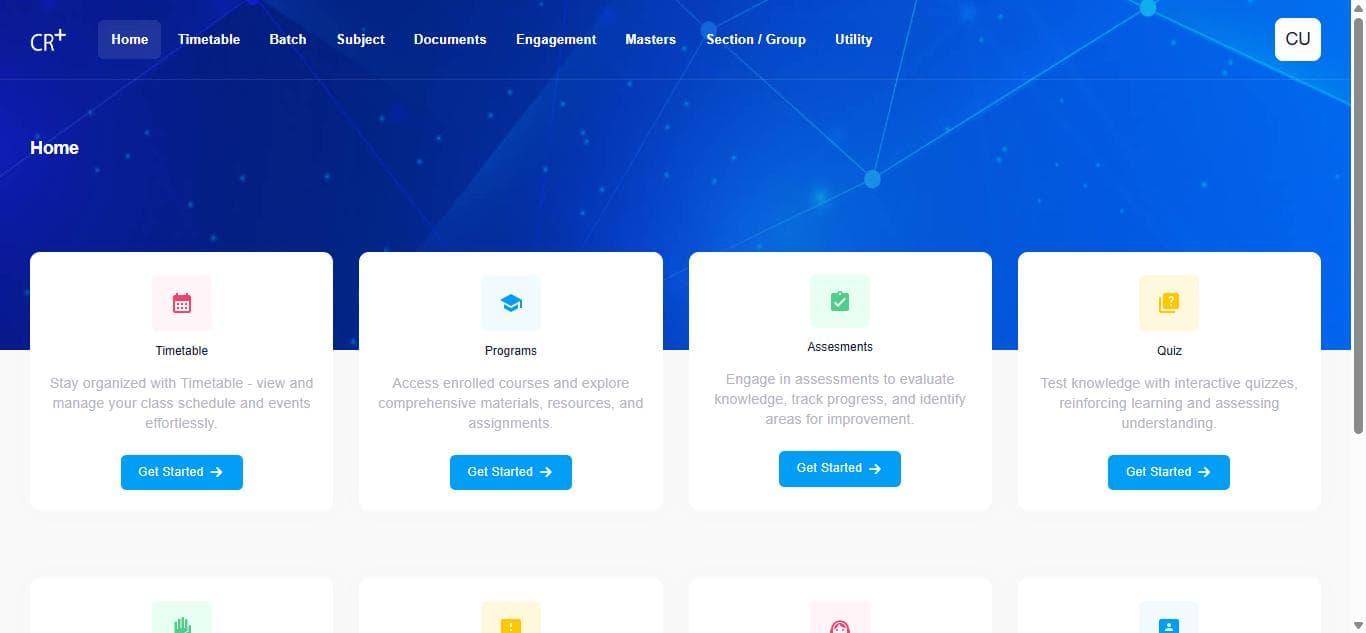
The control panel for Classroom+ — where an institute sets up its programs, batches, timetables and faculty load before a single student or teacher logs in.
What it is
Classroom+ is RamanByte's learning platform; this is the console an institute's administrators use to stand it up. Everything the faculty and student apps consume — programs, patterns, batches, sections, subjects, time slots, timetables — is defined here first.
Same foundation as the journal: an Angular front end on the Metronic 8 base, against .NET / SQL Server services on the shared Classroom+ platform, with theming and six-language i18n out of the box.
What I built
Daily timetable planning by batch / semester / section / group with a day grid, copy mode and Excel export; a per-faculty weekly availability chart (pre- and post-lunch sessions); and time-slot configuration.
Programs, sub-programs, patterns, session parameters and configuration settings — the reference data every other screen builds on.
Batch lifecycle (ongoing / upcoming / expired), incharge assignment, PEO/PO mapping, and per-batch subject setup — core / elective / major / minor — with bulk import.
Splitting a batch into teaching sections and student groups, and the document library that hangs off them.
Engagement reporting across the timetable, plus the Utility lists — announcements, program syllabus and events — each a searchable table with create and edit.
Internal tool — institute administrators. The faculty and student apps are separate front ends on the same Classroom+ back end.
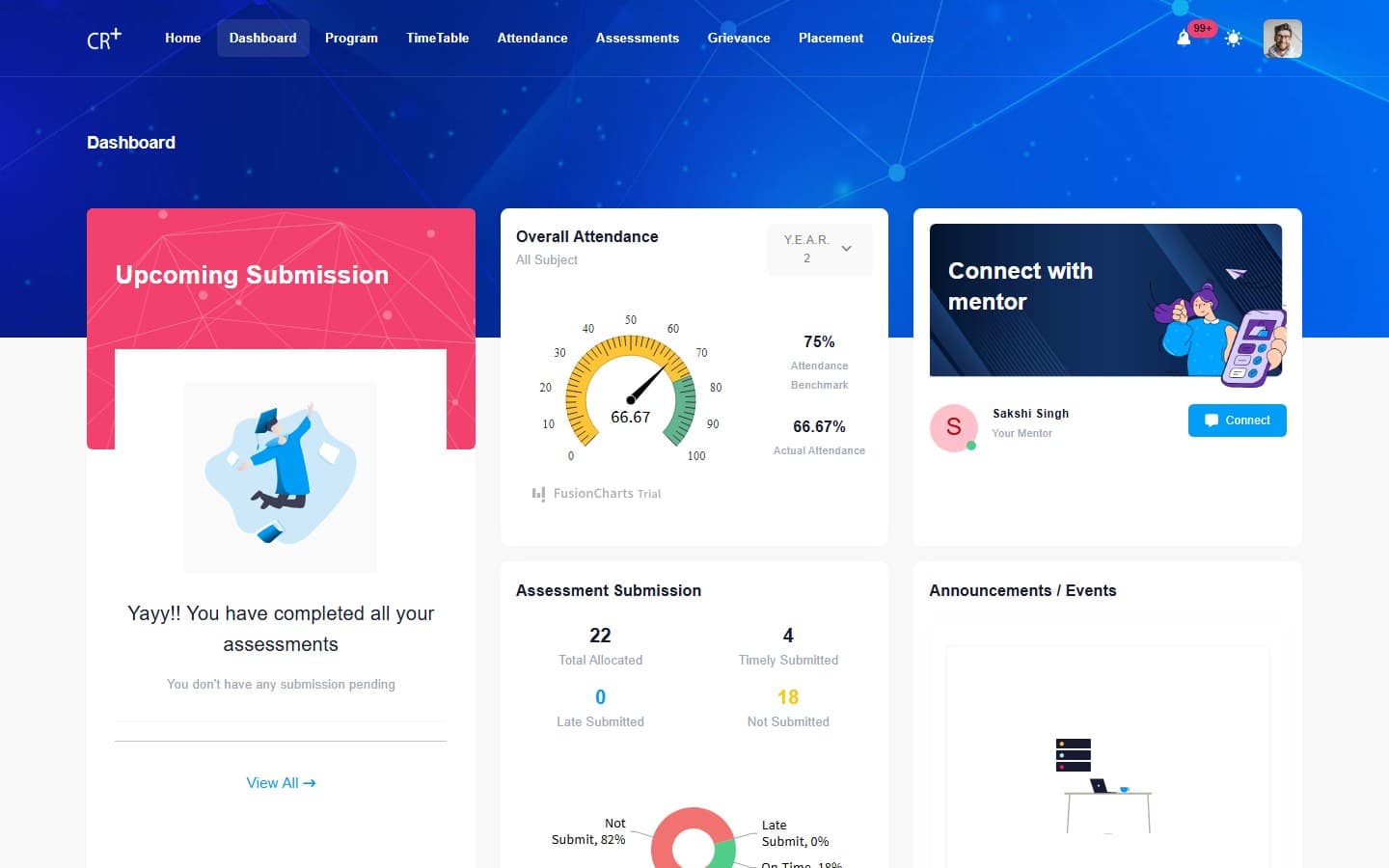
The student's home on Classroom+ — a dashboard, their program and coursework, every assessment due, and a full placement and career pipeline, all bound to the same .NET back end as the admin console.
What it is
The counterpart to the admin console: everything a student sees once an institute has set up its programs, batches and timetables is served from here — their own dashboard, their enrolled program, the work due, and, distinctively for Classroom+, a placement office built into the same platform.
Same foundation as the journal and the admin panel: Angular on Metronic 8 against .NET / SQL Server services, live at student.classroomplus.in for real institutes and their students.
What I built
An overall-attendance gauge plotted against an institute-set benchmark, an assessment-submission breakdown (on-time / late / not-submitted) as a donut chart, an upcoming-submissions panel, a connect-with-mentor card and an announcements/events feed — the first screen a student sees.
Enrolled courses filtered by year, each with a live subject-completion bar and a per-subject course planner; plus tabs for program outcomes, program syllabus (rendered as an inline PDF viewer), announcements, events and a documents library.
Work split into four categories — assignment, presentation, case study, pre-reading — with a date-range filter and Upcoming / Submission Done / Submission Expired status tabs, each a searchable, paginated list.
A seven-step placement-profile wizard (personal, communication, education, work experience, certifications, languages, KYC documents) with a completion tracker, plus resume management: up to five uploads, per-file review status, and one marked as the default used on applications.
A filterable job board (type, experience level, category, salary band, location) built as cards with company, role and package, and a nine-stage recruitment pipeline as tabs — Opened → Applied → Shortlisted → Aptitude Test → Group Discussion → Interview Rounds 1–3 → HR Round → Selected/Rejected — surfacing scheduled interviews with their date, time, mode and meeting link.
Student-facing — one account per learner. Screens here were captured signed in with a test account, read-only.
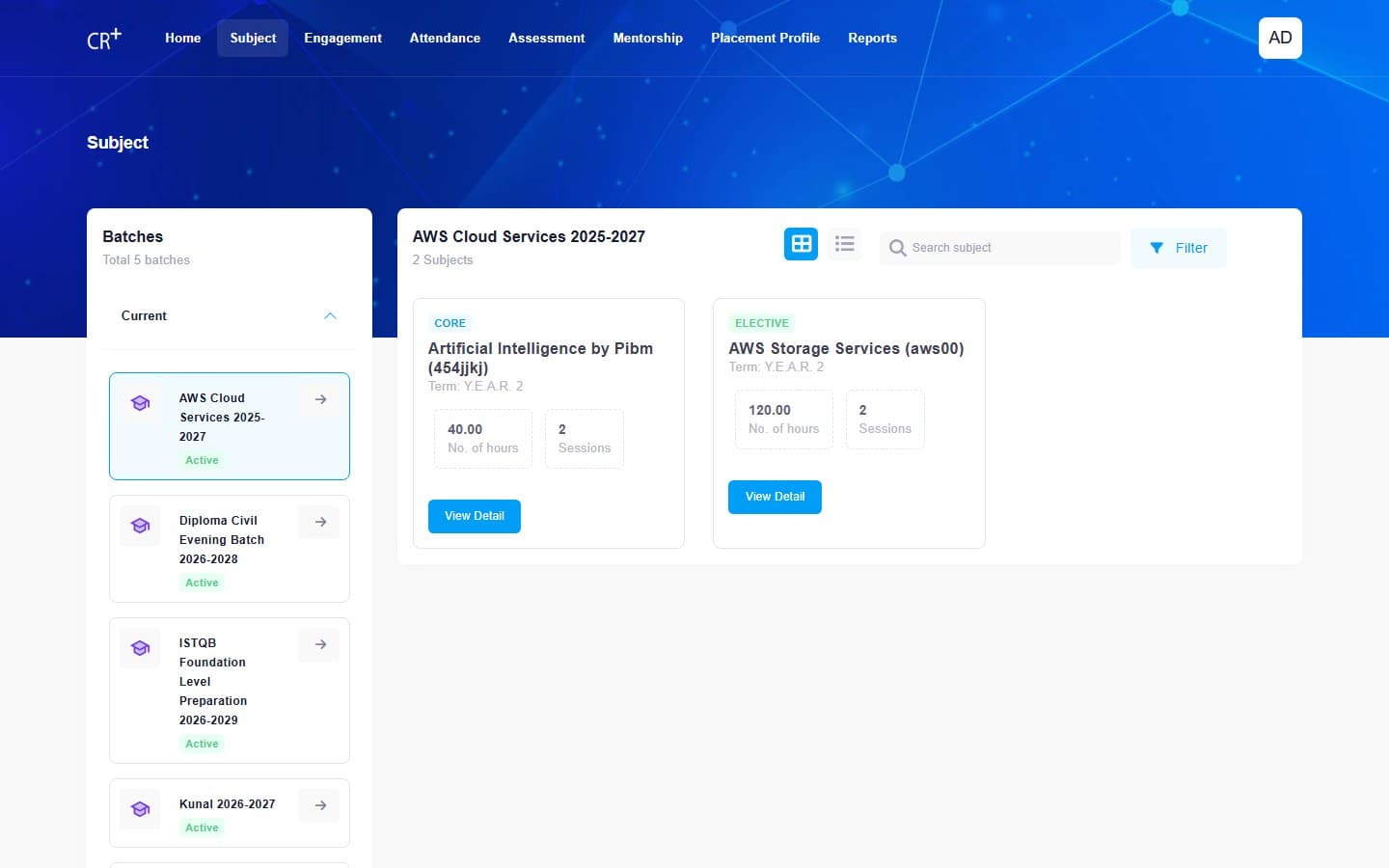
The teacher's side of Classroom+ — the subjects they run, a workload calendar, every assessment they set and grade, late-submission approvals, mentee tracking, and the placement profiles they sign off on.
What it is
The instructor seat on Classroom+: the workload a faculty member actually carries — which batches and subjects, how many hours booked into their own calendar, everything they've set for grading, and the two review queues, late submissions and student placement profiles, that only faculty can act on.
Same foundation as the other three: Angular on Metronic 8 against .NET / SQL Server services, live at faculty.classroomplus.in for real institutes and their teaching staff.
What I built
The batches a faculty member teaches into, each with its subjects, hours and session counts, and a view-detail drill-down per subject — grid or list, filterable and searchable.
A FullCalendar-style day/week/month scheduler of the faculty member's own sessions, paired with a weekly workload widget — total capacity vs. engaged hours, split by evaluation and session time.
Assignments, case studies, presentations and pre-reading, each a full CRUD list — create, marks, individual/group submission type, batch and student allocation — plus a Late Submission Approval queue with live totals (requested / pending / approved / denied) and a per-request review action.
Session-based attendance with exempted/excluded student handling, and a class-participation tab alongside it; a mentee roster showing attendance %, communication and aptitude levels per student, exportable to Excel.
The faculty-side counterpart to the student placement wizard — every submitted student profile in one reviewable table (UID, batch, semester, section, submission date, approval status) with export to Excel.
Faculty-facing — one account per instructor. Screens here were captured signed in with a real faculty account, read-only.
Two Flutter apps — one for artisans to run a shop, one for buyers to find them — built to launch together on a hard public date in Maharashtra. My end was everything off-screen: the messaging and logistics vendors wired into the order flow, the Google-backed data layer, Azure cost tuning, and a distributed load rig built from scratch to prove the back end wouldn't fall over on launch day.
Seller app — 5 screens
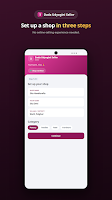
Set up a shop in three steps
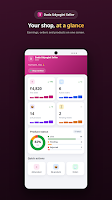
Your shop, at a glance
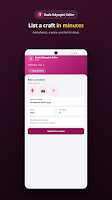
List a craft in minutes
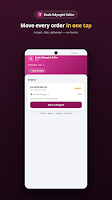
Move every order in one tap
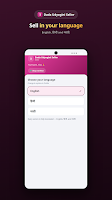
Sell in your language — English / मराठी
Buyer app — 4 screens, Marathi
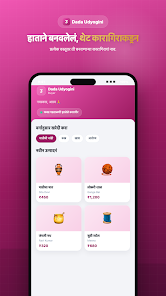
"Handmade, straight to you"
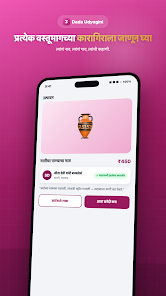
"Know the artisan behind every product"
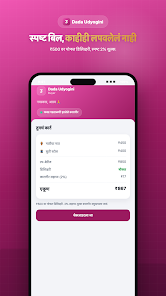
"A clean bill, nothing hidden"
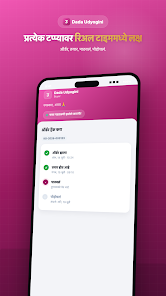
"Real-time updates at every step"
What it is
Dada Udyogini is a marketplace connecting artisan sellers with buyers, built as two purpose-specific Flutter apps sharing one ASP.NET Core / PostgreSQL back end — a Seller app for craftspeople to set up shop, list products and fulfill orders, and a Buyer app to discover them, see the maker behind each item, and check out. Both were built to go live together, on a fixed date, at a large public launch event in Maharashtra.
Where the other RamanByte case studies here are Angular over .NET, this one is Flutter over ASP.NET Core with PostgreSQL — a different client stack, same discipline: a typed API contract, real vendor integrations instead of stubs, and infrastructure proven under load before the launch date rather than after it.
What I built
Wired a transactional SMS/OTP messaging vendor into signup, order and shop-status notifications, and a logistics vendor into the fulfillment pipeline — rate calculation, shipment creation and tracking updates flowing back into both apps' order screens.
User accounts, seller/shop resources and stored media backed by Firebase / Google Cloud APIs — authentication, storage and backup for the data both apps depend on, plus Google Maps for buyer addresses and delivery.
Reviewed and re-tuned the Microsoft Azure hosting footprint — right-sizing provisioned resources against real traffic patterns instead of leaving launch-day headroom running at full cost year-round.
Designed and specified a purpose-built load-testing platform from scratch: a .NET Worker Service agent running k6 on each of up to 10 Windows machines, orchestrated by an ASP.NET Core + SignalR controller that distributes RPS across agents, drives a scripted buyer journey (login → browse → product → cart → checkout → order), and rolls up live and final metrics into PDF/XLSX/JSON reports — built so the team could prove capacity against the real API before the launch, not guess at it.
Both apps and the back end they share went live together against a fixed public date — no slipping the schedule, no soft rollout to absorb early failures. One of the larger deliveries of the four years, and it held.
A fixed-date public launch, not a soft rollout — the load rig existed specifically to de-risk that day.
A multi-tenant engagement-tracking platform — organisations and their members raise and track requests on a Flutter mobile app, and the organisation's staff work them from this admin console, with each tenant seeing only its own data. Currently in active development.
What it is
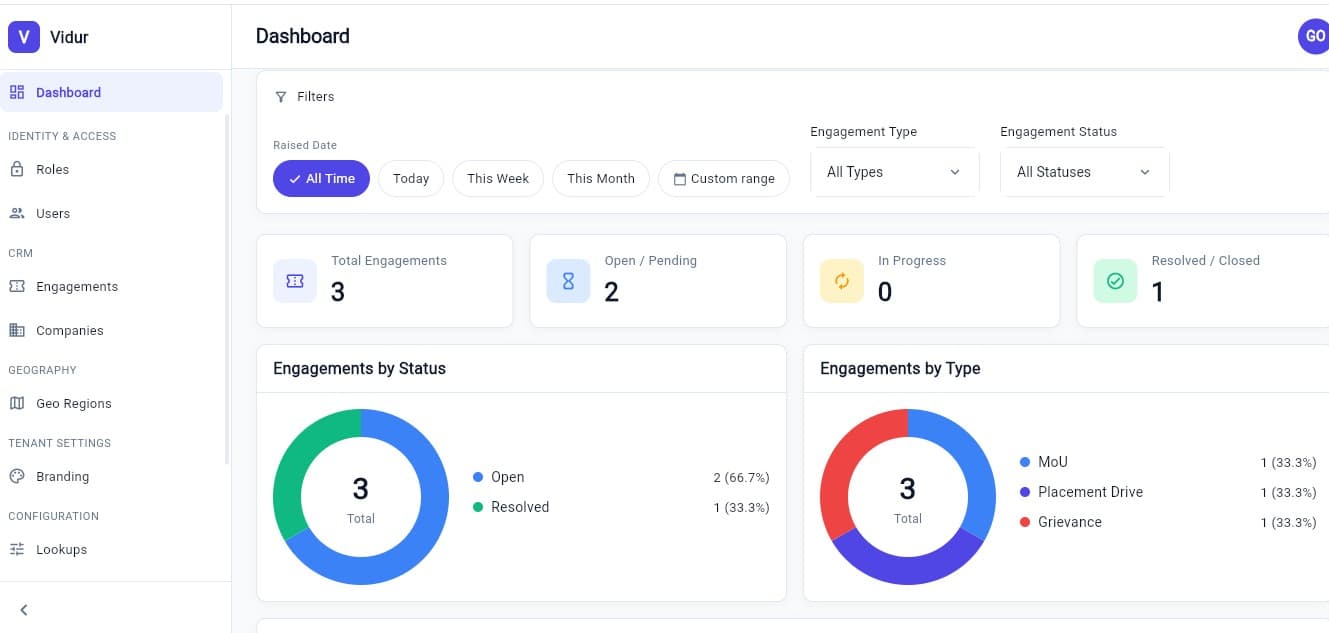
Vidur is a multi-tenant platform built as one Flutter codebase that ships two portals: a citizen mobile app where organisations and members raise and track "engagements" (requests/cases), and this web admin console where tenant staff work the incoming queue. Every tenant — a university, an institution — sees only its own data off one shared back end.
I joined the project mid-build on a dedicated branch, shipping in roughly three-week sprints alongside another engineer already on the codebase — 38 commits across 9 merged PRs, spanning both the admin console and the citizen app's core engagement lifecycle.
What I built
Built the dashboard shown here from scratch: engagement counts by status, status/type donut charts, and date filters (presets plus a real custom range) — then replaced the full-screen range dialog with compact inline date pickers, removed a non-functional manual Refresh button, and fixed a refresh flicker.
Search/filter/rating end-to-end, an engagement-creation confirmation dialog ("Request ENG-2026-000123 raised"), citizen-side cancel and reopen with a reason, and a near-duplicate guard that warns before a citizen re-raises something ~85% similar to a request from the last week.
A Profile tab with live open/in-progress/resolved counts (the three reads load concurrently), editable name, verified mobile-number change with re-verification, and deactivate-account — blocked automatically while an engagement is still open.
Field-length/character validation on name inputs, locked verified phone/email fields, the dashboard's real signed-in administrator name and initials in place of a placeholder, an assigned-officer display fix, and a rewrite of the Play/App Store listing copy to add the public-entity non-affiliation disclaimer both stores required.
Fixed analyzer errors that were silently blocking the staging deploy gate on main, and authored/keep DEVELOPMENT.md — the project's living architecture and status doc — current after every major change.
In active development — an internal client project, not yet publicly launched. Screens here are from the staging admin console; the citizen mobile app is next to be captured.
Six written up. The rest of the four years is still being pulled together from backups.
Another RamanByte build. Drop the repo or the link and this fills in.
drop repo → E:\Project-Backups\journal\